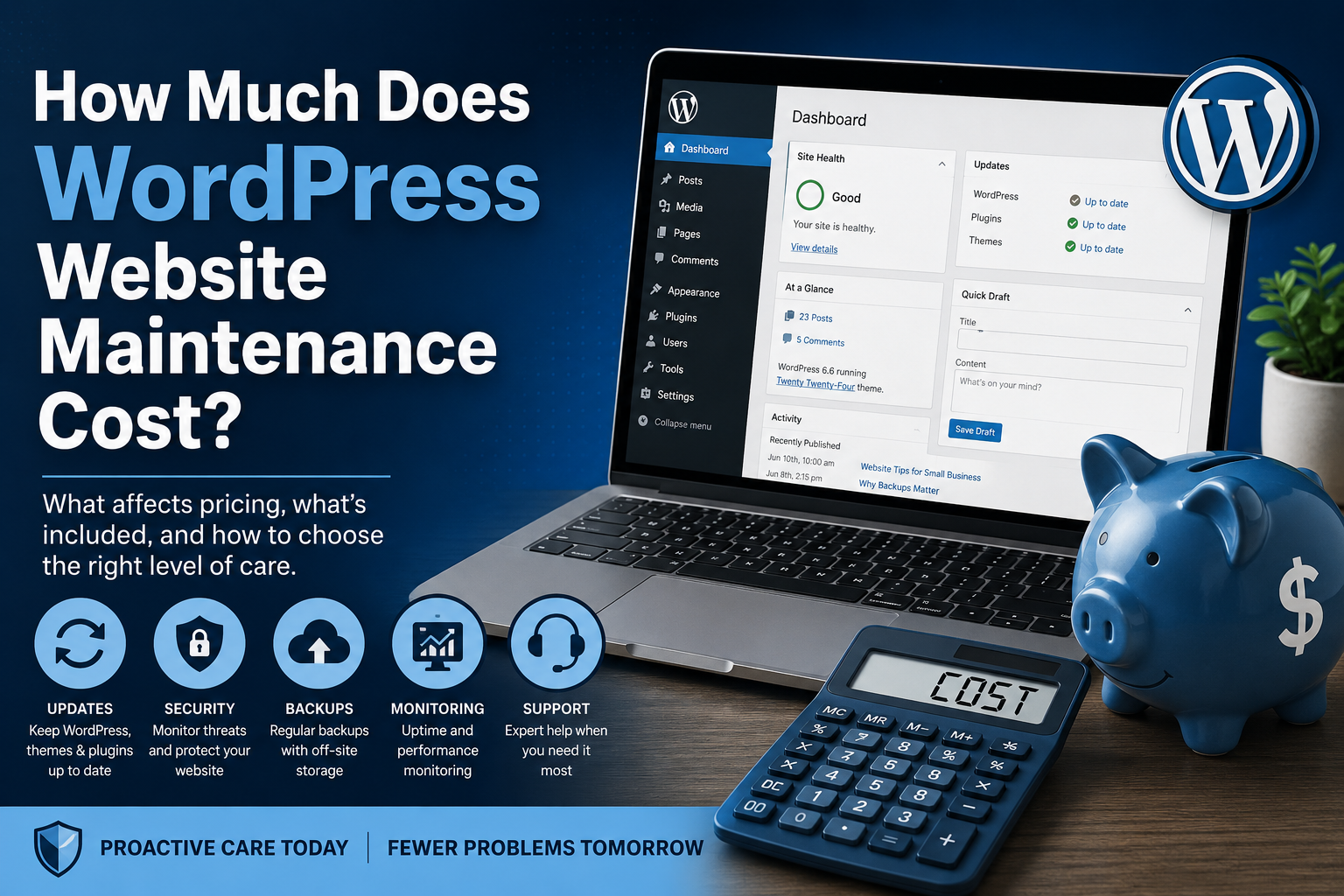
If you’re researching WordPress website maintenance cost, you’ve probably discovered that prices can vary considerably. Some website owners handle maintenance themselves for little more than the cost of hosting and premium software, while professional WordPress care services can range from modest monthly plans to hundreds of dollars per month.
The reason for that wide range is simple: not every WordPress website requires the same amount of care. A five-page informational website has very different maintenance needs from an online store processing orders every day.
So how much should you actually expect to pay? Let’s look at what affects WordPress maintenance pricing, what you’re paying for, and how to decide what level of service makes sense for your website.
What Is Included in WordPress Website Maintenance?
Before comparing prices, it’s important to understand what “website maintenance” actually means.
WordPress isn’t a completely set-it-and-forget-it platform. WordPress core, themes and plugins receive updates. Websites need backups. Security vulnerabilities can be discovered. Performance can change. Forms can stop working. Hosting or software changes can occasionally cause unexpected problems.
WordPress recommends keeping the platform and its components updated as part of good site management. You can review the official WordPress update documentation for more information.
A typical WordPress maintenance service may include:
- WordPress core updates
- Plugin and theme updates
- Regular website backups
- Off-site backup storage
- Security and vulnerability monitoring
- Uptime monitoring
- Performance monitoring
- Basic website health checks
- Testing after important updates
- Help recovering the website if something goes wrong
The exact services vary by provider, which is one reason comparing maintenance plans based only on price can be misleading.
If you’re not sure why these tasks matter, see my guide to WordPress website maintenance.
How Much Does WordPress Website Maintenance Cost?
There is no single standard price for maintaining a WordPress website. The WordPress website maintenance cost depends on the size and complexity of the website, how frequently it changes, the amount of monitoring provided, and how much hands-on support is included.
As a general way to think about the market, maintenance services can be divided into several broad levels:
| Type of Maintenance | What You Might Expect |
|---|---|
| DIY maintenance | You handle updates, backups, monitoring and troubleshooting yourself. |
| Basic maintenance plan | Routine updates, backups and basic monitoring for a relatively simple website. |
| Managed care plan | Updates, off-site backups, security monitoring, uptime monitoring, performance checks and more active oversight. |
| Advanced or e-commerce care | More frequent backups, additional monitoring, priority response and care for websites where downtime or lost data can have a larger impact. |
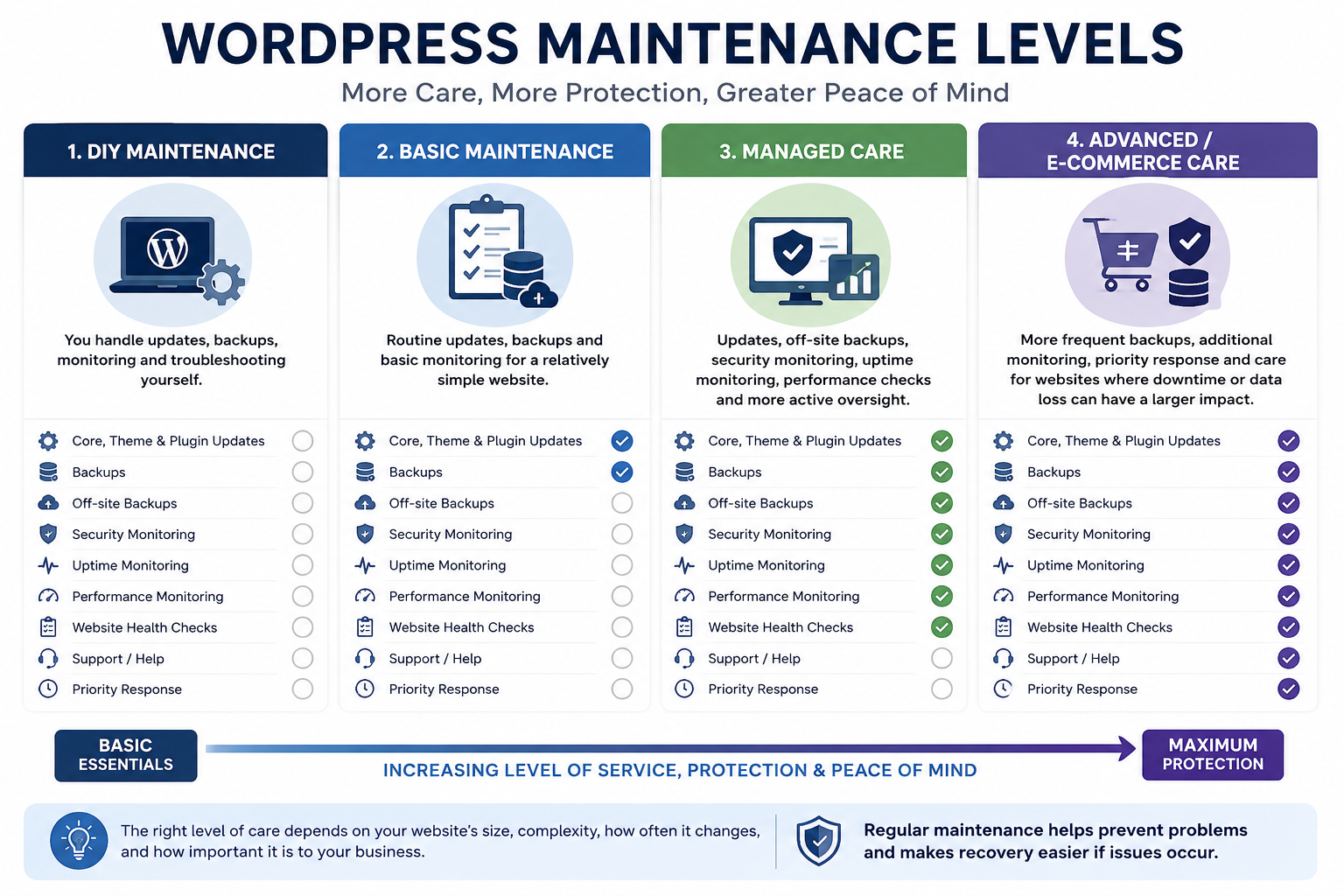
The important point is that a $20 maintenance plan and a $200 maintenance plan may be providing very different levels of service. Price only becomes meaningful when you know what’s included.
What Affects WordPress Maintenance Pricing?
Several factors can affect what it costs to maintain a WordPress website.
1. Website Size and Complexity
A simple business website with a few pages is generally easier to maintain than a website containing dozens of plugins, custom functionality, membership features or an online store.
More moving parts can mean more opportunities for compatibility problems and more things that need to be checked after updates.
2. How Frequently the Website Changes
A website that changes once every few months has different backup requirements from a site receiving orders, registrations, comments or content changes throughout the day.
The more frequently important information changes, the more frequently backups may need to run.
I explain this in more detail in How Often Should You Back Up Your WordPress Website?
3. Security Monitoring
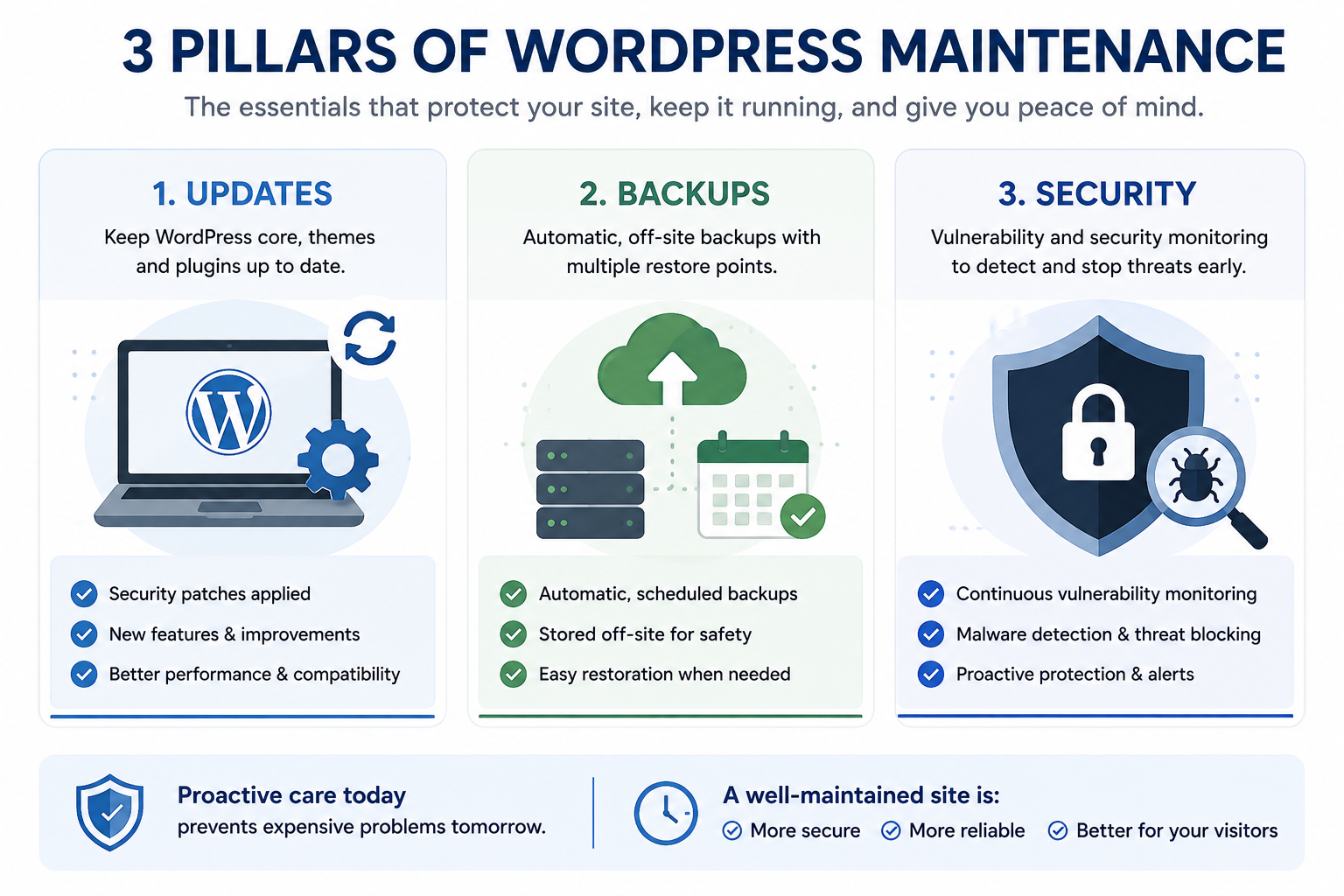
Maintenance isn’t only about installing updates. Monitoring known vulnerabilities and watching the general health of the website can help identify problems before they become larger issues.
No maintenance service can guarantee that a website will never be compromised, but keeping WordPress software current, monitoring vulnerabilities and maintaining reliable backups can reduce unnecessary risk.
4. Backup Frequency and Retention
Creating one backup and repeatedly overwriting it isn’t the same as having a strong backup strategy.
More comprehensive maintenance plans may provide off-site backups, multiple restore points and longer backup retention periods. E-commerce and frequently changing websites may also need multiple backups per day.
5. Response and Support
Another factor in WordPress website maintenance cost is what happens when something actually goes wrong.
Some inexpensive services primarily automate updates and backups. More comprehensive care may include someone reviewing problems, helping with recovery, or providing faster assistance when an important website issue occurs.
Can You Maintain a WordPress Website Yourself?
Yes. You absolutely can.
WordPress website owners don’t have to pay someone else to perform maintenance. If you’re comfortable working inside WordPress and willing to regularly check the site, you can handle many maintenance tasks yourself.
A DIY maintenance routine should include at least:
- Keeping WordPress core, themes and plugins current
- Creating reliable backups before important changes
- Keeping backups away from the live website
- Checking the website after updates
- Monitoring security issues and vulnerabilities
- Checking important forms and website functions
- Watching site performance and uptime
The real cost of DIY maintenance isn’t necessarily money. It’s your time and the responsibility of remembering to do it consistently.
DIY vs. Managed WordPress Care
If you enjoy maintaining WordPress and know how to recover from a failed update or restore a backup, doing it yourself may make perfect sense.
If you’d rather spend your time running your business and have someone else keep an eye on the website, a managed maintenance plan may be worth the monthly cost.
What Does WebCare WordPress Maintenance Cost?
I designed WebCare to provide straightforward WordPress care without requiring a small-business owner to purchase an expensive enterprise-level maintenance package.
There are currently three levels of WebCare:
| WebCare Plan | Monthly Price | Best Fit |
|---|---|---|
| Essential Care | $27/month | Smaller WordPress websites needing dependable routine care. |
| SafeSite 24/7 | $47/month | Most small-business WordPress websites needing stronger ongoing protection and monitoring. |
| SafeSite 24/7 Plus | $97/month | E-commerce, frequently changing or more complex WordPress websites. |
All three plans are built around the same basic idea: keep the website updated, backed up and monitored so problems are less likely to become emergencies.
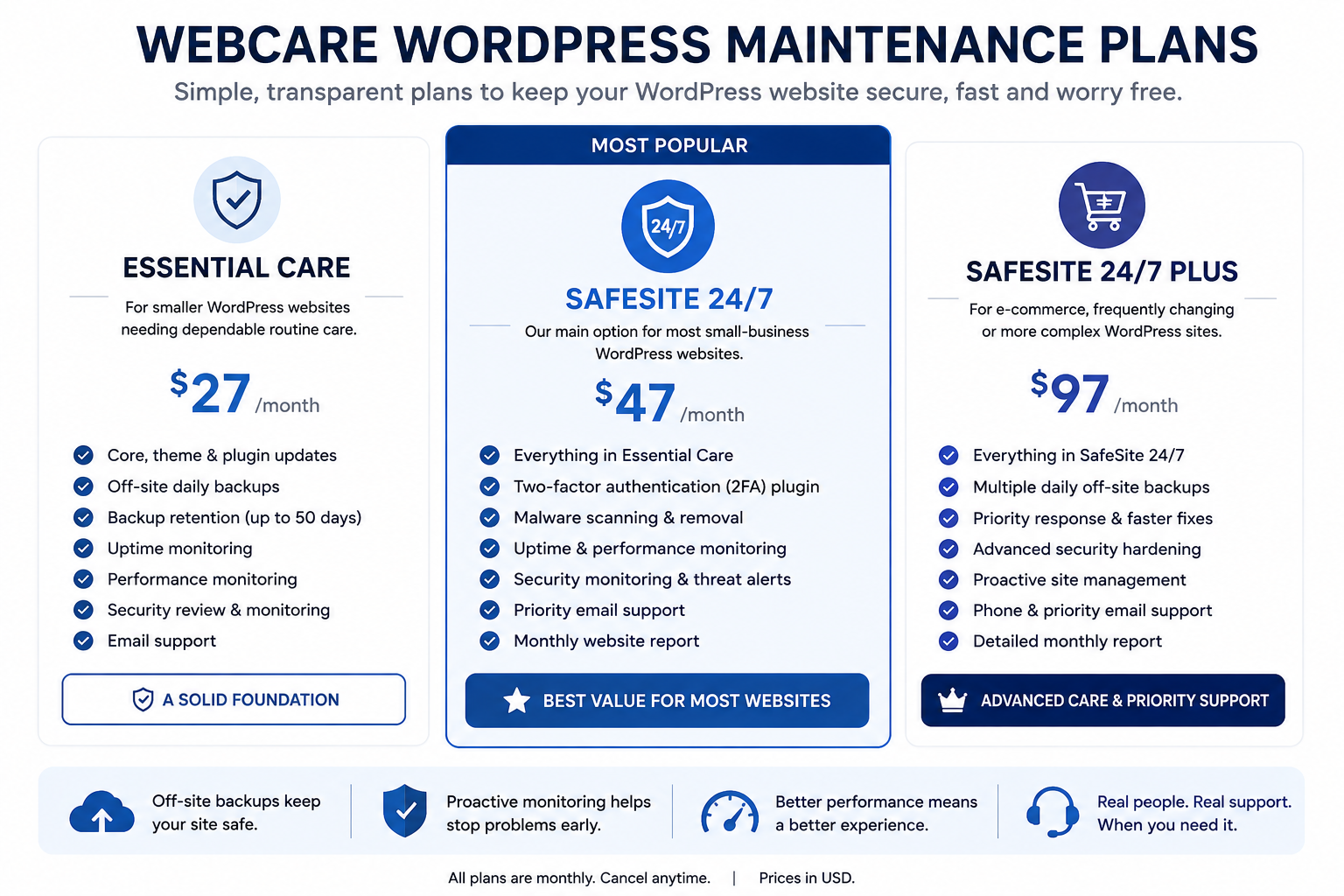
You can compare the complete features of each option on the WebCare plans and pricing page.
Is Paying for WordPress Maintenance Worth It?
That depends largely on how important your website is to you or your business.
If your website is mostly a hobby and you enjoy maintaining WordPress yourself, paying for a maintenance service may not be necessary.
But if the website generates leads, represents your business, processes sales, collects customer information or would be expensive to rebuild, the calculation changes.
The question isn’t simply, “How much does maintenance cost?”
It’s also worth asking:
What would it cost me if my website stopped working and I couldn’t quickly recover it?
That could mean lost time, lost leads, lost orders, emergency repair costs or having to rebuild work that wasn’t properly backed up.
Regular maintenance doesn’t eliminate every possible website problem. What it does is provide a more organized way to prevent problems, detect issues and recover when something goes wrong.
Cheap WordPress Maintenance Isn’t Always the Least Expensive Option
It’s understandable to look for the lowest possible WordPress website maintenance cost. But the cheapest plan isn’t automatically the best value.
If a service simply runs automatic updates but doesn’t maintain reliable backups or provide meaningful monitoring, you may still be responsible for dealing with the difficult part when something breaks.
On the other hand, there is no reason for a simple five-page business website to pay for a huge maintenance package designed for a high-traffic online store.
The goal is to match the level of care to the website.
Frequently Asked Questions About WordPress Maintenance Costs
How much should I pay monthly for WordPress maintenance?
There isn’t one correct monthly price. Cost depends on the website and the services included. Compare backup frequency, security monitoring, updates, uptime monitoring, support and recovery assistance rather than comparing price alone.
Why do some WordPress maintenance plans cost so much more than others?
More expensive plans may support complex websites, provide more frequent backups, longer retention, additional monitoring, faster response or more hands-on technical support. Always compare the actual services included.
Do I need a maintenance plan if my hosting company creates backups?
Hosting backups are valuable, but backups are only one part of website maintenance. Updates, vulnerability monitoring, uptime, performance and checking website functionality are separate concerns. It’s also useful to understand where your hosting backups are stored and how long they’re retained.
Can WordPress maintenance prevent my website from being hacked?
No service can honestly guarantee that a website will never be hacked. Good maintenance can reduce risk by keeping software current, monitoring vulnerabilities and maintaining reliable backups that can help with recovery.
The Bottom Line on WordPress Website Maintenance Cost
The right WordPress website maintenance cost isn’t necessarily the cheapest or most expensive option. It’s the cost of getting the level of protection and oversight that makes sense for your particular website.
For some website owners, DIY maintenance is enough. Others may benefit from a basic monthly plan, while busy business and e-commerce websites often justify more frequent backups and closer monitoring.
Whichever approach you choose, the important thing is not to ignore maintenance until something breaks.
Not Sure What Your WordPress Website Needs?
Start with the free WebCare Website Audit. It checks your website for important maintenance, security and site-health concerns and shows you areas that may deserve attention.
Run My Free Website Audit
Leave a Reply