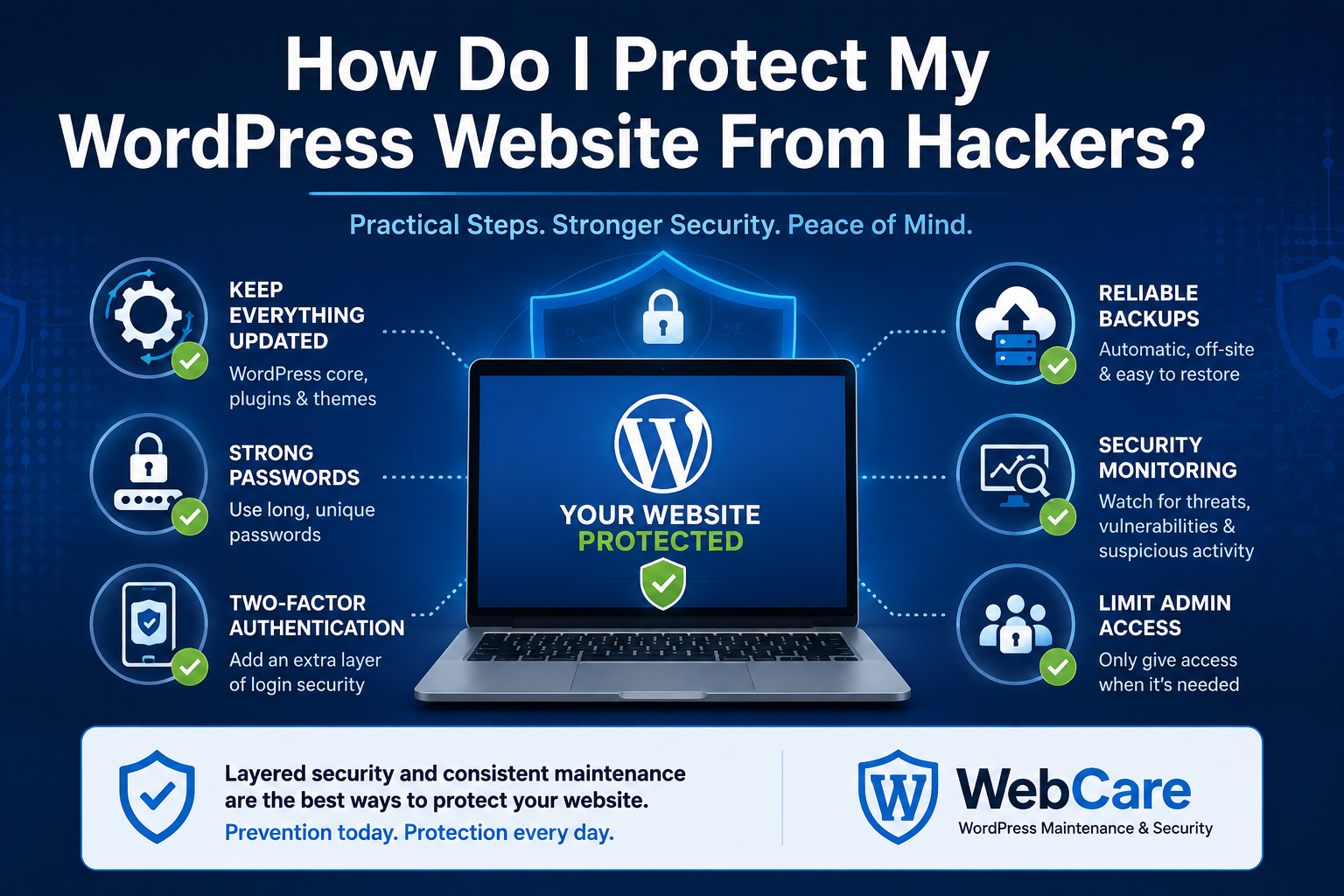
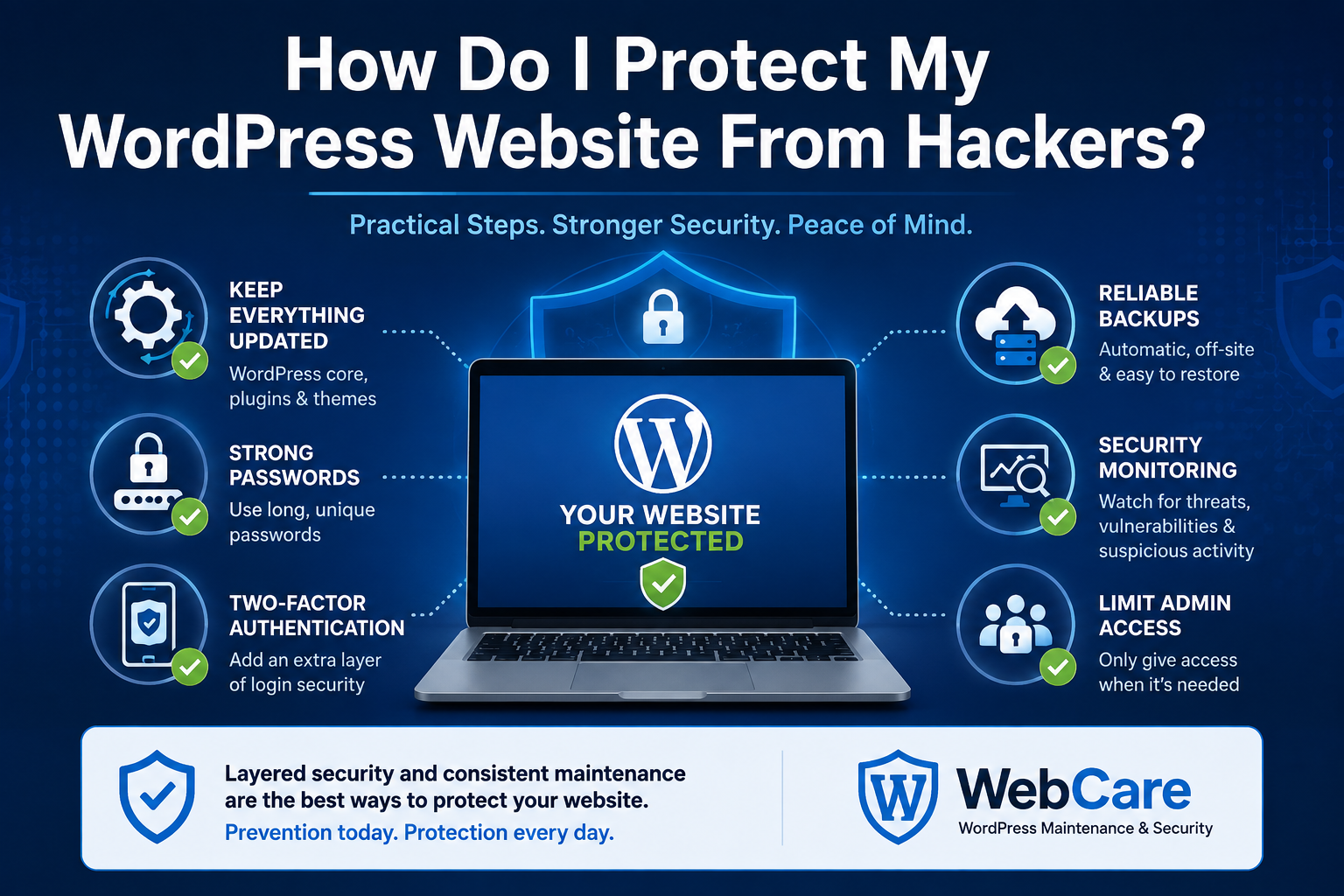
If you want to protect my WordPress website from hackers — or, more naturally, protect your own WordPress website — the goal is not to find one magic security plugin. Strong WordPress security comes from combining updates, backups, good login practices, monitoring and sensible website maintenance.
No WordPress website can be guaranteed 100% hacker-proof. But you can reduce unnecessary risk considerably by keeping the software current, limiting weak points and making sure you have a recovery plan if something does go wrong.
The good news is that most of the important steps are not complicated. They simply need to be done consistently.
1. Keep WordPress, Plugins and Themes Updated
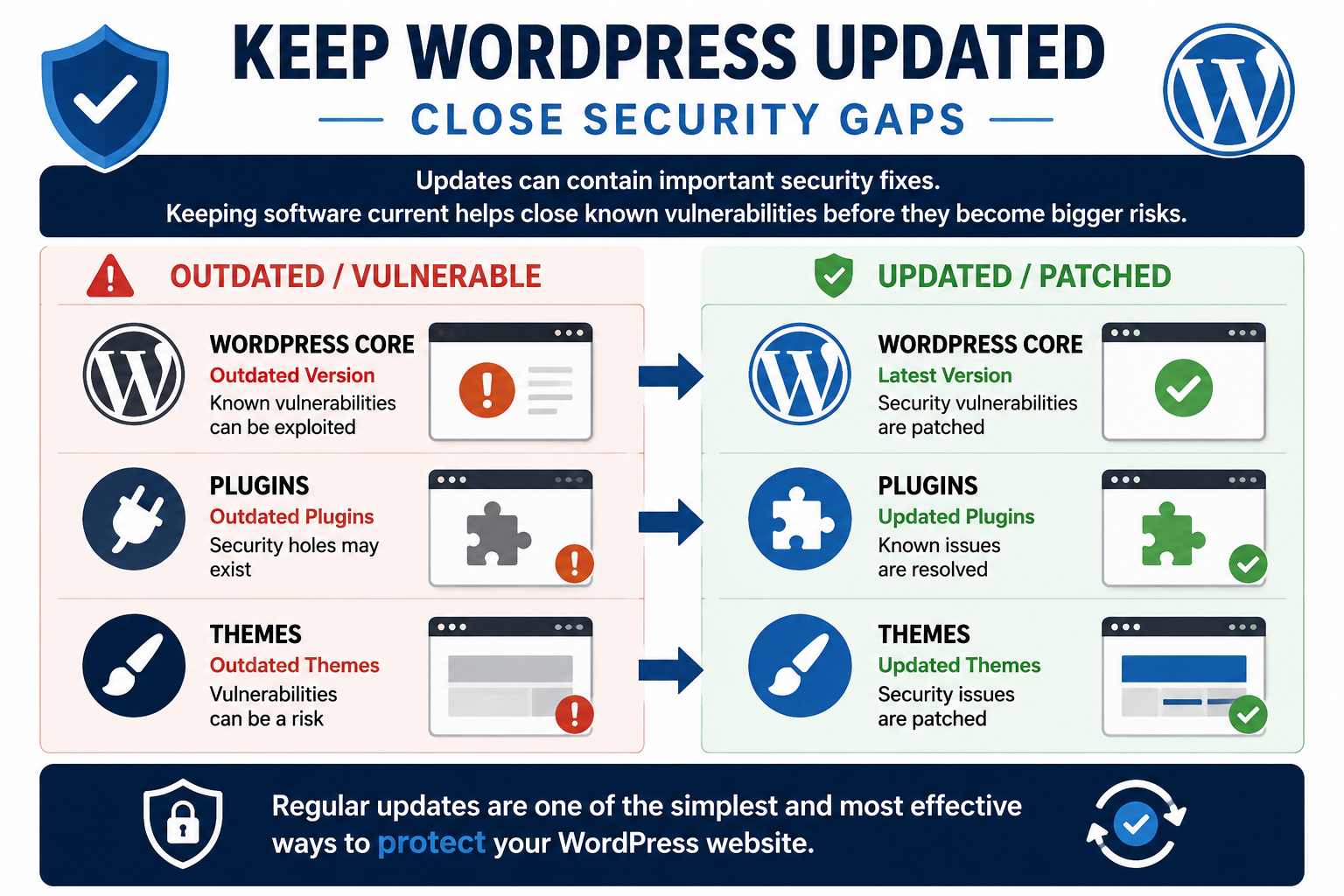
One of the most important things you can do to protect my WordPress website from hackers is keep the software current.
WordPress core, plugins and themes are all software. Developers release updates not only for new features, but also to fix bugs, improve compatibility and patch known security vulnerabilities.
If a vulnerability is discovered and an update fixes it, websites that remain on the older version may continue using software with the known issue.
That does not mean every outdated plugin will lead to a hacked website. It does mean that ignoring updates can leave unnecessary security exposure in place.
The official WordPress documentation explains how updates work and why keeping WordPress current matters: WordPress update documentation.
For a deeper look at the consequences of falling behind, see What Happens If You Don’t Update WordPress?
2. Use Strong, Unique Passwords
Weak or reused passwords are an avoidable security risk.
Your WordPress administrator password should be long, unique and not reused for email, hosting, banking, social media or any other account.
If the same password is used in several places and one unrelated account is compromised, attackers may try that password elsewhere.
A password manager can make this easier because you do not need to remember every long, random password yourself.
Protect More Than Just WordPress
Your WordPress login is only one part of the picture. Your hosting account, domain registrar, email account and backup system can also affect the security of your website.
Strong, unique passwords should be used across all of those accounts.
3. Add Two-Factor Authentication
Two-factor authentication, often called 2FA, adds another layer of protection to your login.
Instead of relying only on a password, 2FA requires an additional verification step. That may be a code from an authenticator app or another approved method.
This can be especially useful for administrator accounts because even if a password is compromised, an attacker may still be unable to complete the login.
2FA is not a guarantee against every possible attack, but it is a practical way to make unauthorized access more difficult.
4. Remove Plugins and Themes You No Longer Use
Every installed plugin and theme adds software to your WordPress environment.
If you no longer use a plugin, leaving it installed creates something else that has to be monitored and updated.
The same applies to old themes.
Keeping unnecessary software around does not provide much benefit. If it is no longer needed, removing it can simplify the website and reduce the number of components you have to maintain.
Also pay attention to abandoned plugins or themes that have not been updated for a long time. If software is no longer actively maintained, it may eventually become a compatibility or security concern.
5. Keep Reliable Off-Site Backups
Backups are not technically a security barrier, but they are one of the most important parts of your recovery plan.
If your website is hacked, damaged during cleanup, or affected by another serious problem, a clean historical backup may help you recover much faster.
A stronger backup strategy includes:
- Automatic backups
- Backups that run frequently enough for your website
- Copies stored away from the live hosting environment
- Multiple restore points
- A known process for restoring the website
If you are unsure how often your site should be backed up, see How Often Should You Back Up Your WordPress Website?
6. Limit Administrator Accounts
Not everyone who uses your WordPress website needs full administrator access.
WordPress includes different user roles that provide different levels of permission. Someone who only writes blog posts may not need the ability to install plugins, change themes or manage other users.
Giving people only the access they actually need reduces the number of powerful accounts on the site.
You should also periodically review existing users and remove accounts that are no longer required.
7. Monitor Known Vulnerabilities
WordPress vulnerabilities are often discovered in plugins and themes as well as the WordPress core.
Knowing that software you use has a newly discovered vulnerability gives you an opportunity to review the issue and apply an available update or take other appropriate action.
This is one area where ongoing maintenance can be valuable because you do not have to rely only on occasionally logging into the WordPress dashboard and noticing an update.
Vulnerability monitoring can provide another layer of awareness around the software running on your website.
8. Protect Your Hosting and Domain Accounts Too
Your website can be affected even if the WordPress dashboard itself is secure.
Someone who gains access to your hosting account may be able to modify website files. Someone who compromises your domain registrar account may be able to change DNS settings. A compromised email account can sometimes be used to reset passwords.
That is why website security should include:
- Your WordPress administrator accounts
- Your hosting account
- Your domain registrar
- Your email account
- Your backup system
Use strong passwords and 2FA wherever those services support it.
9. Keep an Eye on Your Website
If you want to protect my WordPress website from hackers, regular monitoring matters because security is easier when someone is paying attention.
Unexpected downtime, unusual login activity, new administrator accounts, strange redirects or unexplained website changes can all deserve investigation.
Monitoring does not mean constantly staring at your website. Automated uptime, vulnerability and security monitoring can help surface issues that might otherwise go unnoticed.
If you are already concerned that your site may have a problem, see How Do I Know If My WordPress Website Has Been Hacked?
10. Use a Sensible WordPress Maintenance Routine
The best way to protect my WordPress website from hackers is not one single setting. It is a consistent maintenance routine that keeps several layers of protection working together.
| Security Area | Good Practice |
|---|---|
| WordPress software | Keep core, plugins and themes updated. |
| Passwords | Use strong, unique passwords. |
| Login security | Use two-factor authentication where practical. |
| Plugins and themes | Remove unused or abandoned software. |
| Backups | Maintain automatic, off-site restore points. |
| User access | Limit administrator accounts. |
| Monitoring | Watch uptime, vulnerabilities and suspicious activity. |
That combination is much stronger than installing one security plugin and assuming the job is finished.
Can a Security Plugin Protect WordPress From Hackers?
Security plugins can be useful, but they should be part of a broader strategy.
Depending on the plugin, security tools may help with firewall rules, malware scanning, login protection, vulnerability warnings or other features.
But a security plugin does not replace updates, strong passwords, backups, safe user permissions or secure hosting.
Think of it as one layer rather than the entire security system.
Does WordPress Hosting Matter for Security?
Yes.
Your hosting provider controls important parts of the server environment underneath WordPress.
Good hosting should keep server software current, provide appropriate isolation and security controls, and offer reliable infrastructure.
However, even good hosting does not remove your responsibility to maintain the WordPress software installed on the account.
What Should You Do If You Think Your Website Is Already Hacked?
Prevention advice is useful before a problem occurs. If you already see suspicious behavior, you need to treat that as a separate issue.
Warning signs might include:
- Unexpected administrator accounts
- Pages or posts you did not create
- Strange redirects
- Security warnings from browsers or search engines
- Sudden unexplained website changes
- Suspicious files or code
Do not assume that simply restoring a backup permanently solves the problem. If the original security weakness remains, the site may be exposed again.
For the warning signs and next steps, read How Do I Know If My WordPress Website Has Been Hacked?
Can You Completely Prevent a WordPress Website From Being Hacked?
No honest person can guarantee that.
Security is about reducing risk, making attacks more difficult, detecting problems sooner and being prepared to recover if something happens.
Even very large organizations with professional security teams experience security incidents.
Your goal as a website owner is to avoid unnecessary exposure and make sure a single problem does not turn into a complete disaster.
Frequently Asked Questions
How do I protect my WordPress website from hackers?
Keep WordPress, themes and plugins updated, use strong unique passwords, enable 2FA where practical, remove unused software, maintain reliable off-site backups, limit administrator access and monitor security issues.
Is WordPress safe from hackers?
WordPress can be operated securely, but like any widely used software platform it requires maintenance. Outdated software, weak passwords and poorly maintained plugins can increase risk.
Do I need a WordPress security plugin?
A security plugin can add useful protections and monitoring, but it should not replace updates, backups, strong passwords, proper user permissions and other basic security practices.
How often should I update WordPress for security?
Updates should be reviewed and applied consistently rather than being ignored for long periods. Security-related updates may deserve faster attention than routine feature updates.
Will backups stop my website from being hacked?
No. Backups do not prevent an attack. They provide a recovery option if your website is damaged, compromised or needs to be restored to a clean earlier version.
The Bottom Line
If you want to protect my WordPress website from hackers, focus on layers rather than looking for one magic solution.
Keep the software current. Use strong login security. Remove software you do not need. Maintain off-site backups. Limit administrator access. Monitor vulnerabilities and pay attention to the website.
Those habits cannot guarantee that a security incident will never happen, but they can reduce unnecessary risk and make recovery much easier if something does go wrong.
How Secure Is Your WordPress Website?
Start with the free WebCare Website Audit. It checks your website for important maintenance, security and site-health concerns and shows you areas that may deserve attention.
Run My Free Website Audit
Leave a Reply