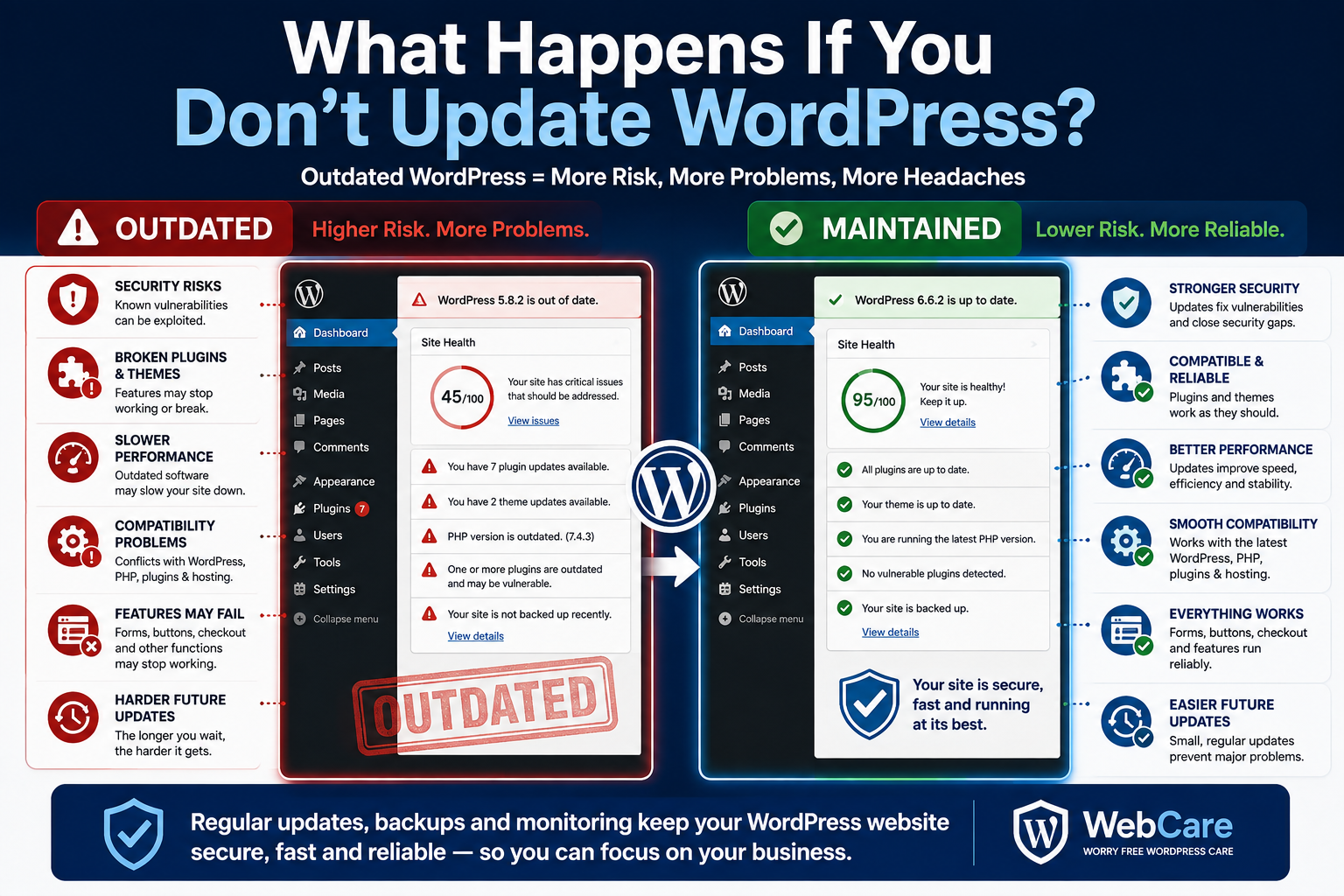
If you don’t update WordPress, your website may keep working for a while — sometimes for months or even years. That’s what makes neglected updates easy to ignore.
The problem is that when you don’t update WordPress, outdated software can gradually create security, compatibility and reliability problems that become harder to fix later.
WordPress itself, your theme and your plugins all change over time. Developers release new versions to fix bugs, patch vulnerabilities, improve compatibility and support newer versions of WordPress, PHP and browsers.
So what actually happens if you keep clicking “remind me later” and stop updating? Here are the biggest risks.
1. Your Website Can Become More Vulnerable to Security Problems
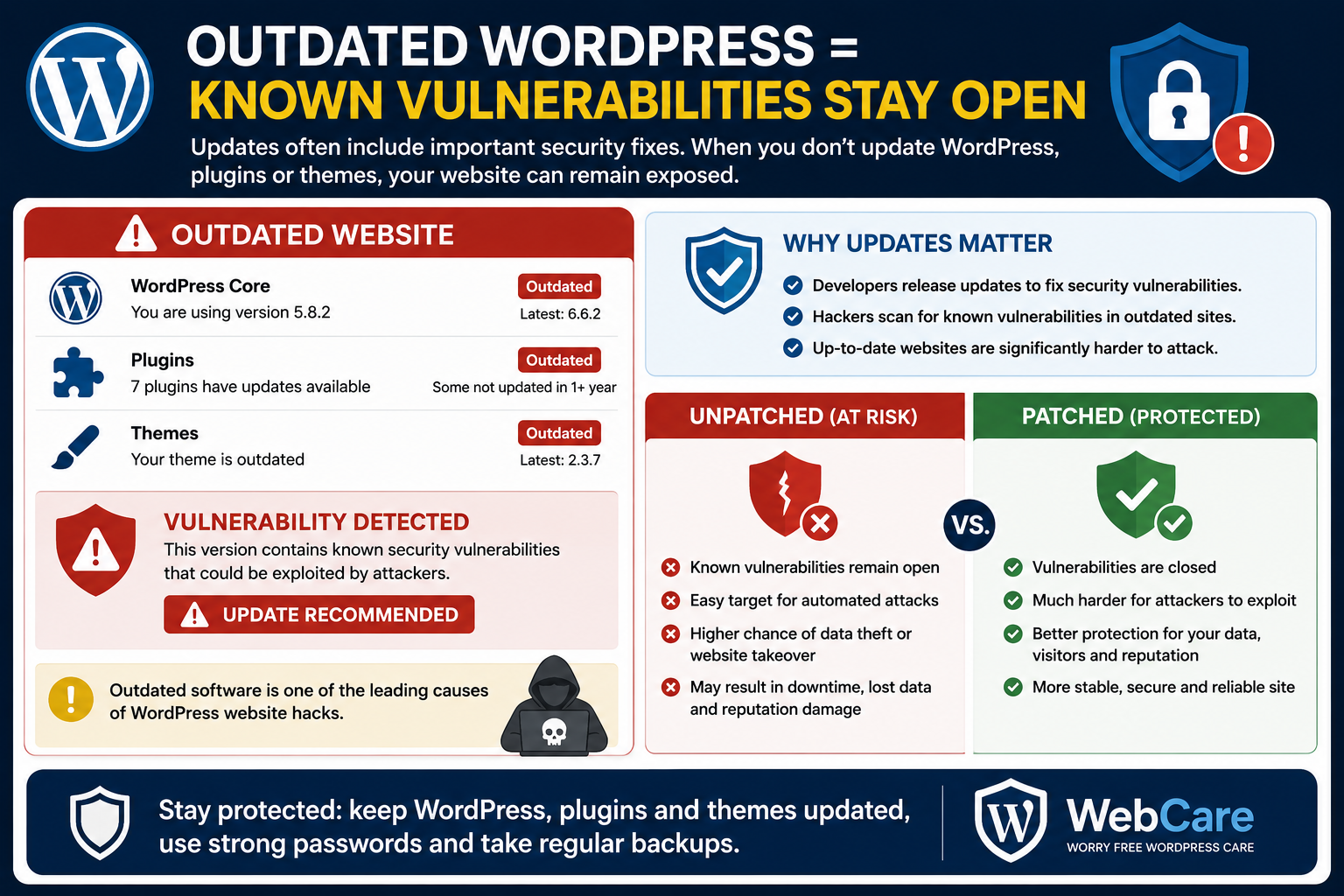
Security is one of the biggest reasons to keep WordPress software current.
When a vulnerability is discovered in WordPress core, a theme or a plugin, developers may release an update that fixes it. Once that vulnerability is publicly known, outdated websites that still use the affected software can remain exposed.
That does not mean every outdated website will automatically be hacked. But the longer known security issues remain unpatched, the more unnecessary risk you carry.
This is especially important for plugins because WordPress websites often use many of them. Each plugin is another piece of software that needs to remain compatible and supported.
If you’re already seeing unusual activity or suspect a problem, read How Do I Know If My WordPress Website Has Been Hacked?
2. Plugins and Themes Can Stop Working Together Properly
WordPress is an ecosystem. The core platform, your theme, plugins, PHP version and hosting environment all need to work together.
When one part of that system is kept current while another part remains outdated, compatibility issues can develop.
For example, an older plugin may not behave correctly with a newer version of WordPress. A theme may rely on code that newer versions of PHP no longer support. A plugin update may assume your WordPress core is newer than the version you’re running.
The result can be anything from a minor visual issue to a broken feature, dashboard warning or complete website error.
Why Waiting Can Make Updates Harder
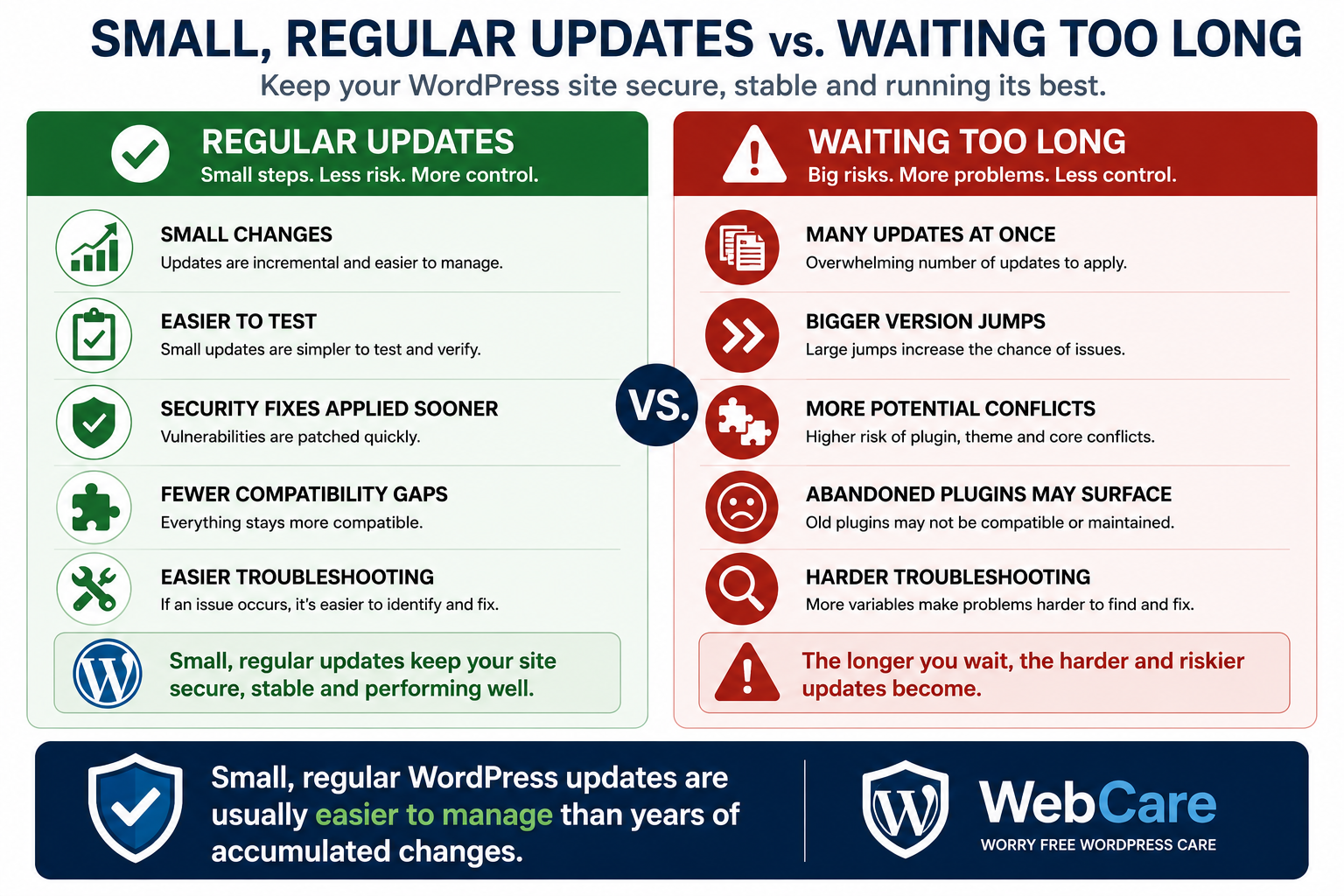
Updating one plugin from last month’s version to today’s version is usually easier than trying to jump across years of software changes all at once.
The longer a site is neglected, the greater the chance that multiple components have fallen behind together.
3. Important Website Features May Break
A website can look fine while important functions stop working in the background.
Common examples include:
- Contact forms that no longer send email
- Buttons that stop responding
- Checkout or payment functions that fail
- Broken image galleries
- Layout problems on mobile devices
- Plugin features that no longer load correctly
These problems may be caused by outdated software, compatibility conflicts or changes elsewhere in the website environment.
The frustrating part is that you may not notice immediately. A visitor may be the first person to discover that your form or checkout stopped working.
4. Your Website May Become Slower or Less Efficient
Updates are not only about security.
Developers also release changes that improve performance, database efficiency, browser compatibility and how software uses server resources.
Older versions may continue working, but they may not benefit from those improvements.
If your site has also accumulated outdated plugins, unused software and old database information, the overall result can be a slower and less efficient website.
If speed is already becoming a problem, see Why Is My WordPress Website So Slow?
5. Future Updates Can Become More Complicated
One of the biggest misconceptions is that you save work when you don’t update WordPress and delay maintenance.
In reality, delaying too long can create more work later.
If your WordPress core, theme and plugins are all several versions behind, updating may require more careful testing because many changes are being introduced at once.
You may also discover that an old plugin has been abandoned and no longer supports current versions of WordPress.
At that point, maintenance becomes less about clicking Update and more about replacing outdated software, testing compatibility and possibly fixing problems created by years of neglect.
6. Backups Become Even More Important
Updates occasionally cause problems even when you do everything correctly.
That is why a current backup should be part of a good update routine.
If an update causes an unexpected conflict, having a recent backup gives you a recovery point.
The backup should also be stored separately from the live website and retained long enough to give you useful restore options.
For more detail, see How Often Should You Back Up Your WordPress Website?
7. Your Website Can Become Harder to Support
Developers, hosting companies and support providers generally focus on current or reasonably recent software versions.
If your website is running very old versions of WordPress or plugins, troubleshooting becomes more difficult because the problem may involve software that is no longer actively supported.
You may also find that newer tools or services will not integrate properly with an outdated WordPress environment.
In other words, the farther behind your website falls, the more isolated it can become from the rest of the modern WordPress ecosystem.
Does WordPress Force You to Update?
Not always.
WordPress can apply some updates automatically depending on your configuration, but website owners still need to pay attention to themes, plugins and larger software changes.
The official WordPress update documentation explains how WordPress updates work and what website owners should expect.
Automatic updates can be useful, but they do not replace good website maintenance. You still want reliable backups and a way to verify that the website is functioning correctly after changes.
Should You Update WordPress Immediately Every Time?
Not necessarily within seconds of every update appearing.
The goal is not to panic whenever the dashboard shows an update notification. The goal is to maintain a consistent update routine so software does not remain neglected for long periods.
Before important updates, make sure you have a current backup. After updating, check the website to confirm that important pages and functions are still working correctly.
For a more detailed discussion of timing, read How Often Should You Update Your WordPress Website?
What Happens If You Never Update WordPress?
If you don’t update WordPress for a long time, the risks begin to stack together.
| Area | Potential Result |
|---|---|
| Security | Known vulnerabilities may remain unpatched. |
| Compatibility | Plugins, themes and hosting software may stop working well together. |
| Functionality | Forms, buttons, checkout or other features can fail. |
| Performance | The site may miss performance improvements and become less efficient. |
| Maintenance | Future updates may require more troubleshooting and testing. |
| Support | Old or abandoned software may become difficult to support. |
The website may continue functioning for a surprisingly long time, but that does not mean everything underneath it is healthy.
How Can You Update WordPress More Safely?
A safer update routine does not need to be complicated.
It should include:
- A recent backup before important updates
- Regular WordPress core updates
- Regular plugin and theme updates
- Checking the website after changes
- Reviewing plugins that are no longer maintained
- Monitoring known security vulnerabilities
- Keeping backups stored away from the live website
That is the difference between simply clicking Update and actually maintaining the website responsibly.
What If You Don’t Want to Handle Updates Yourself?
You do not have to manage WordPress maintenance yourself.
If you are comfortable working in WordPress and consistently handle backups, updates and testing, DIY maintenance may be perfectly fine.
If you would rather have someone else manage those responsibilities, a WordPress maintenance plan can take routine updates, backups and monitoring off your plate.
You can also read How Much Does WordPress Website Maintenance Cost? to compare the types of care available.
Frequently Asked Questions
What happens if I don’t update WordPress?
Your website may continue working, but outdated WordPress software can increase security, compatibility and reliability risks over time.
Can an outdated WordPress website get hacked?
Yes, outdated software can increase security risk, especially if known vulnerabilities remain unpatched. That does not mean every outdated site will be hacked, but leaving known problems unfixed creates unnecessary exposure.
Can WordPress updates break my website?
They can occasionally cause compatibility problems, which is why backups and post-update testing are important. Most routine updates are straightforward, but having a recovery plan is still good practice.
How long can I go without updating WordPress?
There is no single safe amount of time because updates vary in importance. A consistent maintenance routine is better than allowing WordPress, plugins or themes to remain outdated for long periods.
Should I update plugins before WordPress?
There is no universal order that fits every website. The safest approach is to maintain a recent backup, review the updates available, and check the website after changes are completed.
The Bottom Line
If you don’t update WordPress, your website probably will not break immediately.
The real problem is what happens over time: security vulnerabilities remain open, compatibility gaps grow, features can stop working and future updates can become more difficult.
Regular updates are not about constantly changing your website. When you don’t update WordPress for long periods, the software underneath the site can fall behind. Consistent maintenance helps keep it current, supported and easier to manage.
Is Your WordPress Website Falling Behind?
Start with the free WebCare Website Audit. It checks your website for important maintenance, security and site-health concerns and shows you areas that may deserve attention.
Run My Free Website Audit
Leave a Reply