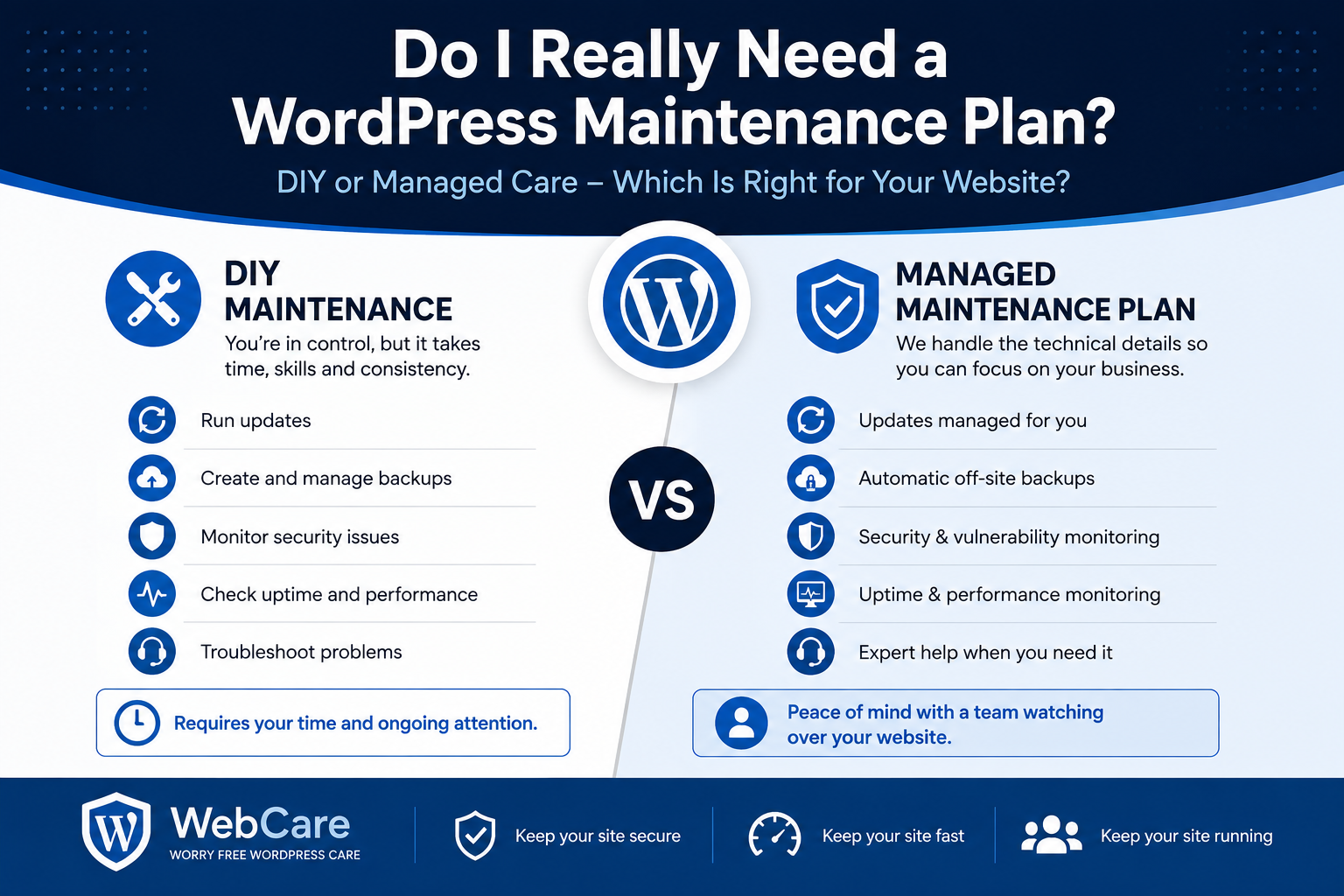
If you own a WordPress website, you may be wondering whether you really need a WordPress maintenance plan or whether you can simply update the site yourself whenever you remember. The answer depends on your website, your technical comfort level, and how important the site is to your business.
A maintenance plan isn’t something every WordPress owner has to purchase. Many people successfully maintain their own websites. But WordPress does require ongoing attention, and somebody needs to be responsible for updates, backups, security monitoring and checking that the website continues to work properly.
The real question isn’t simply whether you need a maintenance plan. It’s whether you have a reliable system for taking care of the website yourself — or whether you’d rather have someone else handle that responsibility.
What Is a WordPress Maintenance Plan?
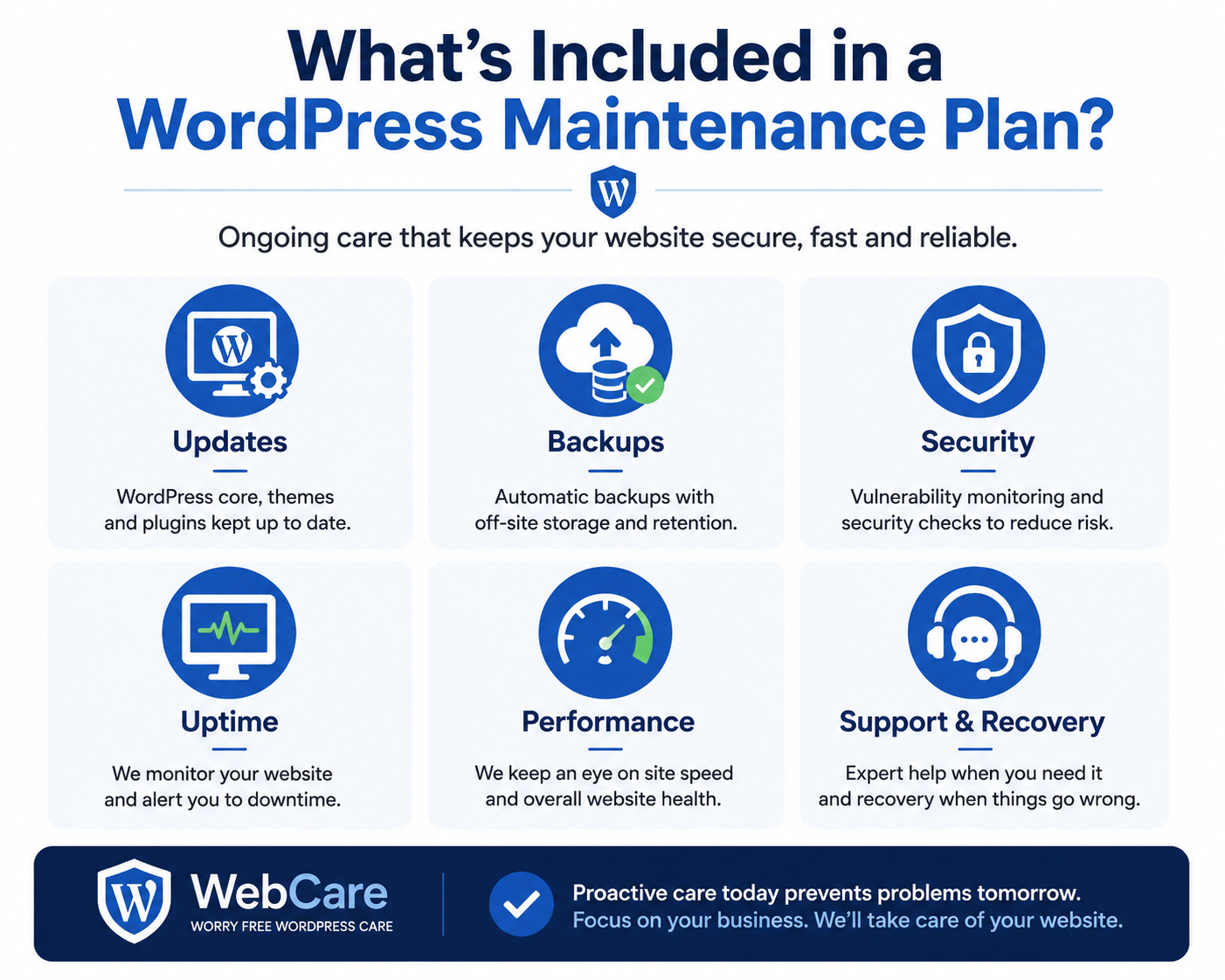
A WordPress maintenance plan is an ongoing service designed to keep a WordPress website updated, backed up, monitored and functioning properly.
Instead of waiting until something breaks, maintenance focuses on taking care of routine tasks and identifying potential problems before they become larger ones.
Depending on the provider and plan, WordPress maintenance may include:
- WordPress core updates
- Plugin and theme updates
- Automatic website backups
- Off-site backup storage
- Security and vulnerability monitoring
- Uptime monitoring
- Performance monitoring
- Website health checks
- Testing after important updates
- Help when something goes wrong
The exact services vary, so it’s important to compare what a plan actually includes rather than assuming all maintenance services are the same.
For a more detailed explanation of ongoing website care, see What Is WordPress Maintenance?
Does WordPress Really Need Ongoing Maintenance?
Yes. WordPress is software, and software changes.
WordPress core is updated. Plugin and theme developers release new versions. Security vulnerabilities are discovered. Hosting environments change. Browsers evolve. Third-party services that connect to your website can also change.
The official WordPress documentation recommends keeping WordPress updated and explains the platform’s built-in update process in its WordPress update documentation.
A website that works perfectly today isn’t guaranteed to remain exactly the same indefinitely without attention.
That doesn’t mean something is constantly going wrong with WordPress. It simply means that maintaining a website is an ongoing responsibility rather than a one-time project.
Can I Maintain My WordPress Website Myself?
Absolutely.
You don’t need to hire someone simply because your website runs WordPress. If you’re comfortable working in the WordPress dashboard and willing to maintain a regular routine, DIY maintenance can be a perfectly reasonable choice.
At a minimum, you should be comfortable with:
- Creating and confirming reliable backups
- Updating WordPress core
- Updating themes and plugins
- Checking the website after updates
- Recognizing when an update causes a problem
- Restoring a backup if necessary
- Monitoring security and vulnerability issues
- Checking important forms and website functions
You also need to actually do these things consistently.
That’s where many website owners run into trouble. They know updates and backups are important, but running the business takes priority and website maintenance keeps getting pushed to another day.
The DIY Question to Ask Yourself
If your website broke after an update tonight, would you know where your latest backup is and how to restore it?
If the answer is yes, you may be perfectly comfortable managing your own maintenance. If the answer is no, having a maintenance system or someone responsible for the site becomes much more valuable.
What Happens If You Don’t Maintain a WordPress Website?
Ignoring maintenance doesn’t mean your website will immediately fail. A neglected site may continue working for months or even years.
The problem is that risk can gradually accumulate.
You may end up with outdated plugins, missed security fixes, old backups, compatibility problems or website features that stopped working without anyone noticing.
Common warning signs include:
- A growing number of pending updates
- A website becoming noticeably slower
- Broken forms or buttons
- Plugin or theme errors
- Security warnings
- Missing or outdated backups
- Unexpected website downtime
We’ve covered these warning signs in more detail in 7 Signs Your WordPress Website Needs Maintenance.
Backups Are a Major Part of Any Maintenance Plan
Updates get a lot of attention, but backups may be the most important safety net you have when something goes wrong.
A good backup strategy means more than occasionally downloading a copy of the website.
Backups should happen frequently enough for the type of site you operate, be stored separately from the live website, and provide enough restore points to go back to a clean version if a problem isn’t discovered immediately.
The right schedule depends on how frequently your website changes. A small informational site might need far fewer backups than an e-commerce website receiving orders throughout the day.
For more detail, see How Often Should You Back Up Your WordPress Website?
Who Probably Doesn’t Need a Paid WordPress Maintenance Plan?
A paid maintenance service isn’t automatically necessary for every website owner.
You may not need one if:
- You enjoy maintaining WordPress yourself.
- You understand updates and backups.
- You regularly check the website.
- You monitor security issues.
- You know how to restore a backup.
- You have time to troubleshoot problems when they occur.
If that describes you, paying someone else to do the same work may not provide enough value.
The important thing is that maintenance actually happens.
Who May Benefit From a WordPress Maintenance Plan?
A WordPress maintenance plan becomes more valuable when the website matters to your business but you don’t want website maintenance to become another regular job.
It may make sense if:
- Your website generates leads or sales.
- You rely on contact forms or other website functions.
- You don’t regularly log into WordPress.
- You aren’t comfortable troubleshooting failed updates.
- You aren’t certain your backups are working.
- You want someone monitoring uptime and vulnerabilities.
- You would rather spend your time running your business.
For many small-business owners, the biggest benefit isn’t simply having someone click the Update button. It’s knowing that somebody is responsible for keeping an eye on the website.
DIY WordPress Maintenance vs. a Managed Plan
| DIY Maintenance | Managed Maintenance |
|---|---|
| You perform updates yourself. | Updates are managed for you. |
| You configure and monitor backups. | Backups are part of the care system. |
| You monitor security issues. | Security and vulnerabilities can be monitored for you. |
| You check whether the website is online. | Uptime monitoring can alert to outages. |
| You troubleshoot update problems. | Someone familiar with WordPress can investigate problems. |
| Your primary cost is your time. | Your primary cost is the monthly maintenance fee. |
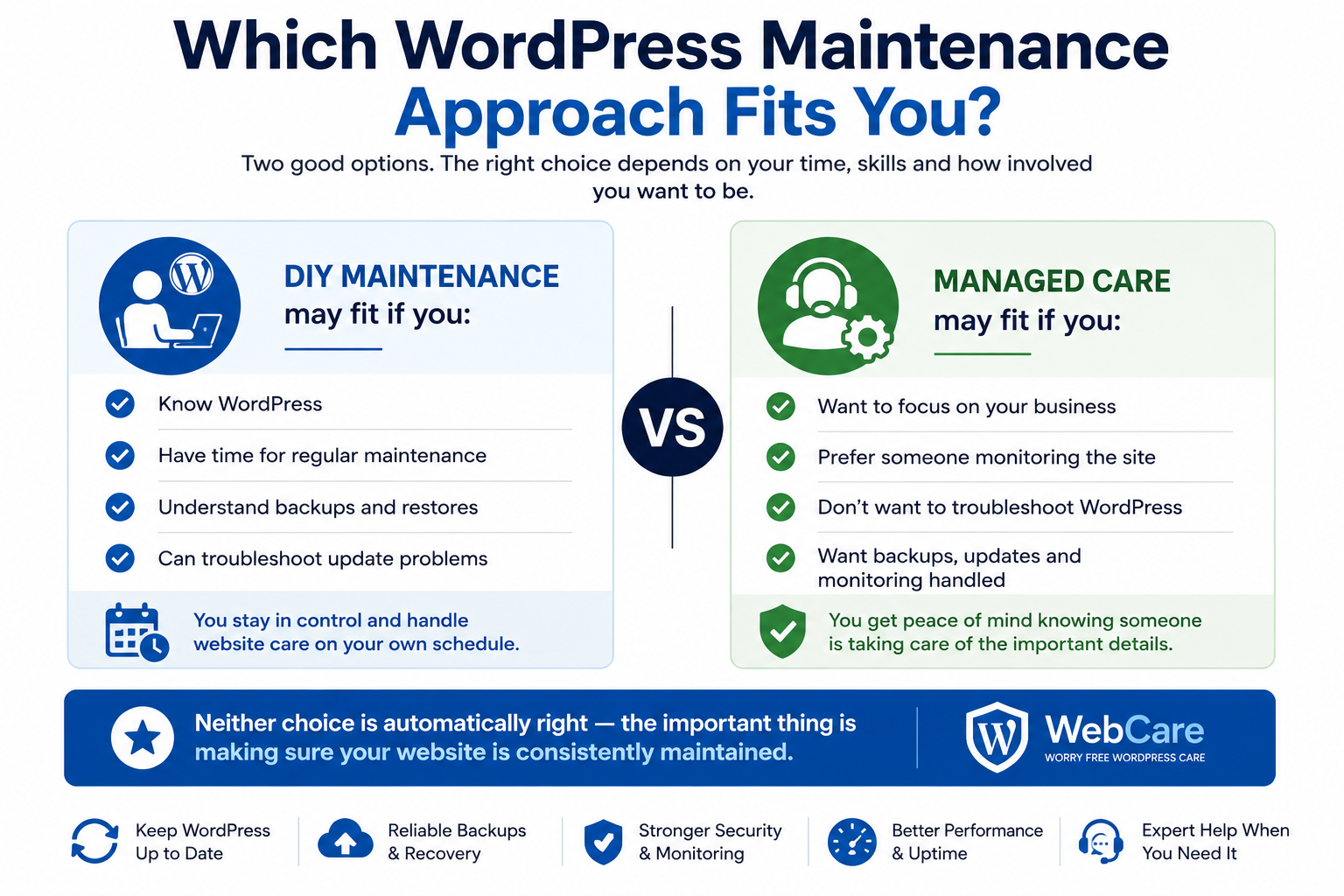
Neither option is automatically better. The right choice depends on whether you prefer spending your own time managing the website or paying someone else to take responsibility for routine care.
How Much Does a WordPress Maintenance Plan Cost?
Pricing varies widely because maintenance services don’t all include the same things.
Basic plans may focus primarily on updates and backups. More comprehensive plans may add off-site backup retention, vulnerability monitoring, uptime monitoring, performance checks, more frequent backups and faster support.
We’ve broken this down in detail in How Much Does WordPress Website Maintenance Cost?
The important thing is to compare the services you’re receiving rather than choosing based solely on the lowest monthly price.
What Should You Look for in a WordPress Maintenance Plan?
If you decide managed maintenance makes sense, look beyond the marketing language and find out exactly what the service includes.
A useful checklist includes:
- Updates: Are WordPress, plugins and themes maintained?
- Backups: How frequently do they run?
- Storage: Are backup copies stored away from the live website?
- Retention: How many restore points are kept?
- Security: Are known vulnerabilities monitored?
- Uptime: Is the website checked for outages?
- Performance: Is website performance monitored?
- Recovery: What happens if an update or website problem occurs?
You should be able to understand what you’re paying for without needing to decipher a long list of technical terms.
What Does WebCare Include?
WebCare was designed for website owners who want ongoing WordPress care without having to manage all of these tasks themselves.
Depending on the plan, WebCare includes managed WordPress updates, off-site backups, backup retention, uptime monitoring, performance monitoring, vulnerability monitoring and security review.
There are three levels of care:
- Essential Care — $27/month
- SafeSite 24/7 — $47/month
- SafeSite 24/7 Plus — $97/month
SafeSite 24/7 is designed to fit most small-business WordPress websites, while Plus provides additional protection for e-commerce and more complex or frequently changing sites.
You can compare all three options on the WebCare plans and pricing page.
Frequently Asked Questions
Do I really need a WordPress maintenance plan?
Not necessarily. If you’re comfortable maintaining WordPress yourself and consistently handle updates, backups, monitoring and troubleshooting, you may not need a paid service. A maintenance plan becomes useful when you want someone else responsible for those ongoing tasks.
Is WordPress maintenance difficult?
Routine maintenance isn’t always technically difficult, but problems can occasionally occur during updates or after software changes. The more important question is whether you have the time, knowledge and backup system needed to deal with a problem when it happens.
How often should WordPress maintenance be done?
Maintenance should be ongoing rather than something performed once or twice a year. Updates, backups, security issues and uptime can require attention at different intervals depending on the website.
Does a WordPress maintenance plan include hosting?
Not necessarily. Hosting and website maintenance are separate services unless a provider specifically combines them. Always check exactly what is included in the plan you’re considering.
Can maintenance guarantee my website won’t be hacked?
No. No legitimate service can guarantee that a website will never experience a security problem. Regular updates, vulnerability monitoring and reliable backups can reduce risk and improve your ability to recover if something does happen.
The Bottom Line
A WordPress maintenance plan isn’t mandatory. What is necessary is having somebody responsible for maintaining the website.
If you enjoy working with WordPress, understand backups and updates, and consistently check your website, DIY maintenance may be all you need.
If you’d rather focus on your business while someone else handles updates, backups and monitoring, managed WordPress care may be a better fit.
Either way, the worst option is simply ignoring the website until something breaks.
If you would rather spend your time running your business than managing WordPress updates, backups, security, and monitoring, explore WebCare’s WordPress Maintenance Plans to see what ongoing care includes.
Not Sure What Your WordPress Website Needs?
Start with the free WebCare Website Audit. It checks your website for important maintenance, security and site-health concerns and shows you areas that may deserve attention.
Run My Free Website Audit
Leave a Reply